ChatGPT vs Gemini vs Copilot (2026):
Which AI Tool is Best for You?
Who this guide is for: Business owners, freelancers, marketers, developers, and everyday users in the UK and USA who want an honest, practical comparison of the three leading AI tools in 2026 — ChatGPT (OpenAI), Gemini (Google), and Microsoft Copilot. This guide goes beyond surface-level feature lists to cover real-world performance, actual pricing, specific use cases, and a frank verdict on which tool wins in which situations — so you can make a genuinely informed decision rather than guessing.
- 2026 AI Landscape — What Has Changed
- ChatGPT (OpenAI) — Full Review 2026
- Google Gemini — Full Review 2026
- Microsoft Copilot — Full Review 2026
- Pricing Comparison — Free vs Paid Tiers
- Writing & Content Creation — Which Wins?
- Coding & Development — Which Wins?
- Research & Factual Accuracy — Which Wins?
- Image Generation — Which Wins?
- Business Productivity — Which Wins?
- SEO & Marketing Tasks — Which Wins?
- Integrations & Ecosystem
- Privacy and Data — What UK & USA Users Must Know
- Use Case Recommendations — Who Should Use What
- Category-by-Category Verdicts
- Worth Mentioning: Claude, Perplexity & Llama
- Frequently Asked Questions
The 2026 AI Landscape — What Has Changed Since 2024
The AI tools market has undergone dramatic evolution between 2024 and 2026. What was a clear two-horse race between ChatGPT and early-generation Bard has become a sophisticated three-way competition between mature, highly capable platforms — each with distinct strengths, pricing structures, and ideal use cases. The gap between the leading tools has narrowed significantly, making the choice between them less about raw capability and more about fit with your specific workflow, ecosystem, and budget.
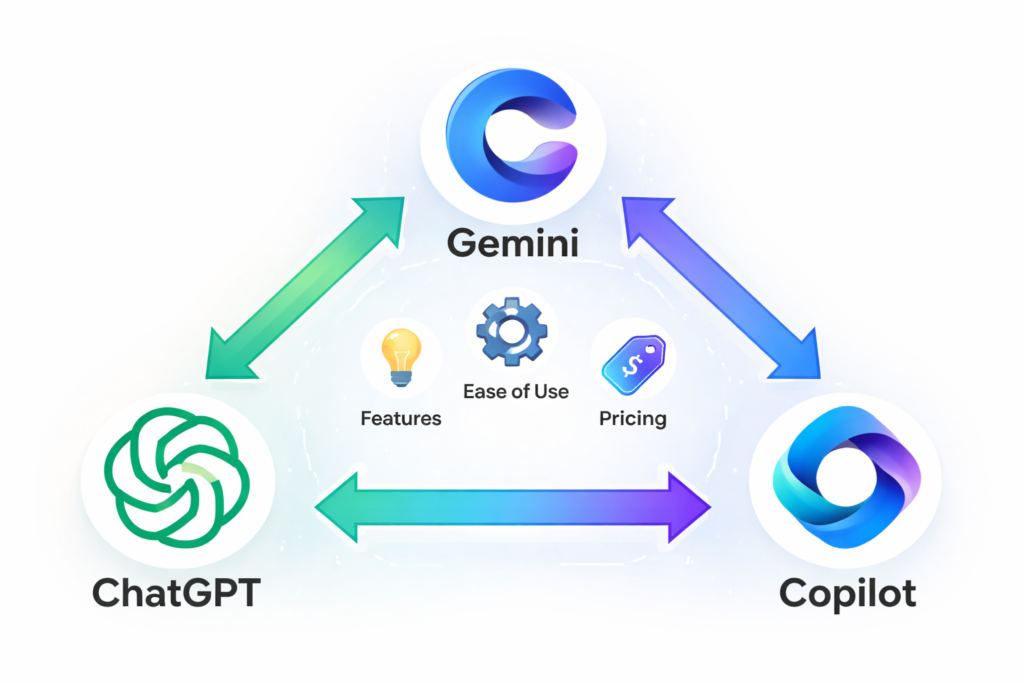
In 2026, all three leading AI assistants — ChatGPT (by OpenAI, backed by Microsoft), Google Gemini, and Microsoft Copilot — offer genuinely impressive capabilities across writing, coding, research, image generation, and business productivity. None is clearly superior across every dimension. The right tool depends on what you are trying to accomplish, what software ecosystem you already use, and whether you are willing to pay for premium access.
The Major Developments Since 2024
Real-time web access is now standard: All three tools can browse the web in 2026, addressing the “knowledge cutoff” limitation that made earlier AI tools unreliable for current information. This fundamentally changes their utility for research, news analysis, and staying current with rapidly evolving topics.
Multimodal capabilities are mature: Image understanding, image generation, document analysis, and voice interaction are now robust features across all three platforms — not experimental extras. You can upload a PDF, a spreadsheet, or an image and receive genuinely sophisticated analysis from any of the three tools.
Deep business integration has arrived: Microsoft’s integration of Copilot into the entire Office 365 suite, Google’s integration of Gemini into Workspace, and OpenAI’s growing plugin and API ecosystem mean AI assistance is now embedded into the tools businesses use daily — not just available in a separate chat interface.
The free tiers have improved dramatically: All three platforms now offer genuinely capable free tiers — not just teaser functionality designed to upsell premium. For many everyday tasks, free access is entirely sufficient.
Our testing approach: At TeamsFreelancer, we use AI tools daily across web development, SEO, content creation, and client communication. This comparison is based on 18+ months of real-world use across our team — not just benchmark testing. Our recommendations reflect what actually works in practice for UK businesses and freelancers, not just theoretical capability comparisons.
ChatGPT (OpenAI) — Full Review 2026
ChatGPT remains the world’s most recognised AI assistant and, for most users, the default starting point when exploring AI tools. Launched in November 2022, it reached 100 million users faster than any technology in history and has continued growing rapidly. By 2026, it has become a sophisticated platform far removed from its original simple chat interface — though its core strength remains the quality and naturalness of its conversational text generation.
ChatGPT Versions in 2026
GPT-4o (the current standard model): OpenAI’s flagship model combining text, image, and audio understanding in a single system. Capable of nuanced reasoning, complex writing tasks, code generation across most languages, document analysis, and sophisticated problem-solving. Available to both free and paid users, with paid users receiving significantly higher usage limits.
o3 and o3 mini (reasoning-focused models): OpenAI’s dedicated reasoning models designed for complex logical problems, mathematical reasoning, and multi-step analysis. Significantly slower than GPT-4o but substantially better for tasks requiring careful step-by-step logical reasoning. Available to ChatGPT Plus subscribers.
ChatGPT Strengths in 2026
- Writing quality: ChatGPT produces the most naturally flowing, stylistically varied, and nuanced long-form text of the three tools. For content creation — blog posts, marketing copy, email sequences, creative writing — it consistently produces output that requires less editing than competitors.
- Instruction following: GPT-4o follows complex, multi-part instructions more reliably than any competing model. When you need a specific format, length, tone, and content angle simultaneously, ChatGPT executes more consistently than Gemini or Copilot.
- Custom GPTs: ChatGPT’s Custom GPT feature allows users to create specialised AI assistants trained on specific instructions, contexts, and knowledge bases. For businesses, this enables the creation of a “company AI” with brand voice, knowledge base, and task specialisation — a capability neither Gemini nor Copilot matches as accessibly.
- Plugin and tool ecosystem: ChatGPT’s tool calling and plugin integration (DALL-E image generation, web search, code interpreter, data analysis) are the most comprehensive and well-integrated of the three platforms.
- Reasoning on complex problems: The o3 model family sets a new standard for AI reasoning on complex mathematical, logical, and analytical tasks — significantly outperforming equivalent Gemini and Copilot models.
ChatGPT Weaknesses in 2026
- Hallucination still occurs: Despite significant improvements, ChatGPT still sometimes produces confident-sounding but factually incorrect information — particularly for specific statistics, dates, recent events, or obscure topics. Always verify factual claims independently.
- No native Microsoft Office integration: Unlike Copilot, ChatGPT does not integrate directly into Word, Excel, or Outlook — requiring copy-paste workflows that reduce productivity for Office-heavy users.
- Free tier limitations: Free users face usage caps during peak periods, slower model access, and reduced image generation allowances compared to paid subscribers.
- Cost at scale: ChatGPT Plus (£16/month) and Pro (£170/month) are more expensive than some alternatives for the capability they provide.
| ChatGPT Rating | Score | Notes |
|---|---|---|
| Writing quality | 9.5/10 | Best-in-class for natural, high-quality text generation |
| Coding capability | 9/10 | Excellent across most languages; o3 best for complex algorithms |
| Factual accuracy | 7.5/10 | Better with web search enabled; still hallucinates occasionally |
| Image generation | 8.5/10 | DALL-E 3 integration is strong; not the absolute best available |
| Business productivity | 7/10 | No native Office integration; strong through API and Custom GPTs |
| Value for money | 7.5/10 | Free tier competitive; paid tiers more expensive than alternatives |
Google Gemini — Full Review 2026
Google Gemini represents Google’s most ambitious AI product — a genuine challenger to ChatGPT’s dominance that combines Google’s unmatched search and data infrastructure with a sophisticated multimodal AI model. Initially criticised for launching prematurely (the original Bard was widely seen as inferior to ChatGPT), Gemini in 2026 has matured into a genuinely competitive product with some areas where it meaningfully surpasses its rivals.
Gemini’s most significant advantage is its native integration with Google’s ecosystem — Search, Gmail, Google Docs, Google Sheets, YouTube, and Google Meet. For businesses and individuals already embedded in the Google Workspace environment, Gemini provides AI assistance that is genuinely embedded in their existing tools rather than requiring context-switching to a separate chat interface.
Gemini Models in 2026
Gemini 2.0 Flash: Google’s fast, efficient model available on the free tier. Strong for everyday tasks, research with real-time Google Search access, and Google Workspace integration. Excellent for quick tasks where speed matters more than maximum capability.
Gemini 2.0 Ultra: Google’s most capable model, available to Gemini Advanced subscribers. Competitive with GPT-4o across most benchmarks and superior in several research and multimodal tasks.
Gemini Strengths in 2026
- Google Search integration: Gemini’s real-time web search is powered by Google’s search infrastructure — the world’s best search engine. For research tasks requiring current information, Gemini’s search quality is consistently superior to ChatGPT and Copilot’s web browsing implementations.
- Google Workspace integration: Gemini embedded in Google Docs, Gmail, Sheets, and Meet enables in-context AI assistance without leaving the tool you are working in. For Workspace users, this workflow integration is genuinely transformative.
- Multimodal capability: Gemini was designed from the ground up as a multimodal system — understanding and generating text, images, audio, video, and code natively. Its image and video understanding capabilities are among the strongest available in 2026.
- Long context window: Gemini Ultra supports context windows of over 1 million tokens — enabling analysis of extremely long documents, entire codebases, or multiple long documents simultaneously. This capability significantly exceeds ChatGPT’s context limits for most user tiers.
- Free tier quality: Gemini’s free tier (powered by Gemini 2.0 Flash) is arguably the strongest free AI offering available in 2026 — particularly given its integration with Google Search and Workspace.
Gemini Weaknesses in 2026
- Writing style is more formulaic: Gemini’s text generation, while accurate and well-structured, tends to be more predictable and less stylistically varied than ChatGPT. For creative writing, marketing copy requiring distinctive voice, and content creation, it consistently requires more editing.
- Instruction following is less precise: For complex multi-part prompts requiring specific formatting or length constraints, Gemini is less reliable at following every instruction simultaneously than GPT-4o.
- No equivalent to Custom GPTs: Gemini lacks a user-facing equivalent to ChatGPT’s Custom GPT feature for creating specialised persistent AI assistants.
- Gemini Advanced pricing: At £17.99/month for Gemini Advanced (or included in Google One AI Premium), it is priced comparably to ChatGPT Plus — so cost is not a differentiator at the premium tier.
| Gemini Rating | Score | Notes |
|---|---|---|
| Writing quality | 8/10 | Accurate and well-structured; less stylistically varied than ChatGPT |
| Coding capability | 8.5/10 | Strong across languages; excellent Python and data science support |
| Factual accuracy | 9/10 | Best-in-class web search integration; lowest hallucination rate |
| Image generation | 8/10 | Imagen 3 integration competitive; image understanding best-in-class |
| Business productivity | 9/10 | Workspace integration is genuinely transformative for Google users |
| Value for money | 9/10 | Free tier strongest of the three; Advanced pricing competitive |
Microsoft Copilot — Full Review 2026
Microsoft Copilot is Microsoft’s AI platform — built on OpenAI’s GPT-4o model but deeply integrated into the Microsoft ecosystem. This creates an interesting positioning: Copilot’s underlying AI model is essentially the same as ChatGPT, but its value proposition is different — it is less about the standalone chat experience and more about AI assistance embedded throughout Microsoft 365, Windows, Bing, and Edge.
For businesses using Microsoft 365 — Word, Excel, PowerPoint, Outlook, Teams — Copilot in 2026 represents a genuinely significant productivity multiplier. The ability to have AI assistance directly within the tools you use for every document, spreadsheet, presentation, and email eliminates the workflow friction of context-switching to a separate AI interface.
Copilot Versions in 2026
Copilot (free): Available through bing.com/copilot, the Windows Copilot button, and Microsoft Edge. Powered by GPT-4o and provides a capable AI assistant with web search, image generation (DALL-E 3), and document analysis — entirely free. This free tier is the most capable no-cost AI offering from Microsoft and is competitive with the free tiers of ChatGPT and Gemini.
Copilot Pro (£19/month): Enhanced access to GPT-4o with higher usage limits, priority access during peak times, integration with Microsoft 365 personal apps, and more image generation credits. For individual power users heavily embedded in the Microsoft ecosystem.
Microsoft 365 Copilot (£25/user/month, business plans): The enterprise-tier product with deep integration into Teams, SharePoint, Outlook, Word, Excel, and PowerPoint. This is where Copilot’s genuine differentiation from ChatGPT and Gemini is most pronounced — meeting summaries, email drafting in context, document generation from briefs, and data analysis in Excel with natural language queries.
Copilot Strengths in 2026
- Microsoft 365 integration: For businesses using Microsoft 365, Copilot embedded in Word, Excel, PowerPoint, Outlook, and Teams is genuinely transformative. Generating first drafts of documents in Word, creating data summaries in Excel, building presentation slides from a brief, and drafting contextually appropriate emails in Outlook — all within the applications you already use daily.
- Bing web search quality: Copilot’s web search is powered by Bing and includes citations with links to sources — making it easier to verify information than ChatGPT’s web search, which is less consistently source-attributed.
- Free tier scope: The free Copilot tier is remarkably capable — GPT-4o model, real-time web search, image generation, and document analysis without any subscription. For users who primarily need AI assistance for occasional tasks, this may be entirely sufficient.
- Windows integration: On Windows 11, Copilot is accessible system-wide — within any application through the Windows key shortcut. This system-level integration enables AI assistance in contexts where ChatGPT and Gemini require separate browser windows.
Copilot Weaknesses in 2026
- Less distinctive for standalone chat: When used purely as a conversational AI (not through Microsoft 365 integration), Copilot provides a very similar experience to ChatGPT — often feeling like a slightly more restricted version without the Custom GPTs, advanced reasoning models, or other distinctive ChatGPT features.
- Microsoft 365 Copilot cost: The business integration tier (£25/user/month on top of existing M365 subscription costs) is expensive for small businesses — making the most differentiated features accessible primarily to mid-market and enterprise organisations.
- Less innovative model development: Microsoft’s Copilot relies primarily on OpenAI’s models rather than developing independent AI research — meaning its model capability trajectory is dependent on OpenAI’s development roadmap.
| Copilot Rating | Score | Notes |
|---|---|---|
| Writing quality | 8.5/10 | GPT-4o quality; slightly less refined than native ChatGPT for creative work |
| Coding capability | 8.5/10 | GitHub Copilot (separate product) best-in-class; standard Copilot strong |
| Factual accuracy | 8.5/10 | Bing search with citations; good source attribution |
| Image generation | 8/10 | DALL-E 3 integration; generous free generation credits |
| Business productivity | 9.5/10 | M365 integration is the strongest business productivity argument of any tool |
| Value for money | 8.5/10 | Free tier very strong; M365 Copilot expensive but justified for M365 businesses |
Pricing Comparison — Free vs Paid Tiers (UK Pricing 2026)
All three tools offer free tiers that are genuinely capable for everyday use. The paid tiers unlock higher usage limits, more powerful models, and deeper integrations. Here is the complete pricing comparison for UK users in 2026:
| Plan | ChatGPT | Google Gemini | Microsoft Copilot |
|---|---|---|---|
| Free tier | GPT-4o (limited), basic tools | Gemini 2.0 Flash, Google Search, Workspace (basic) | GPT-4o, Bing search, DALL-E 3, document analysis |
| Free tier cost | £0 | £0 | £0 |
| Entry paid tier | ChatGPT Plus — £16/month | Gemini Advanced (Google One AI Premium) — £17.99/month | Copilot Pro — £19/month |
| What paid adds | GPT-4o priority, o3 access, Custom GPTs, more image gen | Gemini Ultra, 2TB storage, Workspace AI features | M365 integration (personal), priority access, more image gen |
| Business tier | ChatGPT Team — £20/user/month | Google Workspace + Gemini — from £14/user/month | Microsoft 365 Copilot — £25/user/month (+ M365 cost) |
| Enterprise tier | ChatGPT Enterprise — custom pricing | Google Workspace Enterprise — custom pricing | Microsoft 365 Copilot Enterprise — custom pricing |
Value Assessment by User Type
Casual users (occasional use, no intensive workflows): All three free tiers are genuinely sufficient. Gemini’s free tier edges ahead due to the strength of its Google Search integration and Workspace access.
Content creators and marketers: ChatGPT Plus at £16/month provides the best writing quality, Custom GPTs, and DALL-E 3 for image generation. Worth the investment for daily use.
Microsoft 365 business users: Microsoft 365 Copilot at £25/user/month is expensive but provides unique value through deep Office integration that no alternative matches — the ROI calculation depends on how heavily you use M365 applications daily.
Google Workspace users: Gemini Advanced through Google One AI Premium at £17.99/month provides Workspace integration and the strongest factual accuracy — strong value for existing Google ecosystem users.
Developers: GitHub Copilot (£8/month, separate from Microsoft Copilot) is the unambiguous winner for code completion and development workflows. Supplement with ChatGPT Plus for documentation, planning, and complex reasoning tasks.
Writing & Content Creation — Which AI Wins?
Content creation is the most common use case for AI tools among businesses, freelancers, and marketers. The differences between the three tools in writing quality are meaningful and consistently reproducible — this is an area where making the right choice genuinely affects your output quality and editing time.
Our Testing Methodology
We tested all three tools on identical prompts across multiple writing tasks: 1,500-word blog posts on technical topics, marketing email sequences, product descriptions, social media content, and formal business documents. We evaluated naturalness of language, adherence to instructions, stylistic consistency, factual accuracy, and the editing time required to bring output to publishable quality.
Results by Writing Task
Long-form blog content: ChatGPT consistently produces the most naturally flowing, human-like long-form content with the best stylistic variation between sections. Gemini produces well-structured but slightly more formulaic content. Copilot (using GPT-4o) is very close to ChatGPT but occasionally more conservative in tone and less willing to take the strong positions that make opinionated content engaging.
Marketing copy: ChatGPT wins clearly. Its ability to match brand voice from examples, write compelling CTAs, and vary tone between urgency and aspiration is demonstrably superior to Gemini and Copilot for pure marketing copywriting.
Formal business writing: All three tools produce professional-quality formal documents. Copilot has a slight edge when writing content that will live in Microsoft Word — it formats naturally for Word’s native environment.
Social media content: ChatGPT produces the most varied and engaging social media content. Gemini’s content is accurate but tends toward safer, more generic phrasing. Copilot is strong but often produces longer posts than social platforms prefer.
Technical documentation: Gemini edges ahead for technical documentation accuracy — its superior factual grounding produces documentation with fewer factual errors requiring correction.
Writing verdict: ChatGPT wins. For content creation tasks where naturalness, stylistic quality, and marketing effectiveness matter, ChatGPT consistently produces output requiring less editing to reach publishable quality. The gap over Gemini narrows for technical writing, where Gemini’s accuracy advantage partially compensates for its stylistic limitations. For businesses spending significant time on content creation, ChatGPT Plus at £16/month pays for itself rapidly in reduced editing time.
Coding & Development — Which AI Wins?
For developers and technical builders, AI coding assistance has become one of the most transformative productivity tools available. The coding capabilities of all three tools have improved dramatically since 2024, but they differ meaningfully in their strengths, IDE integration, and suitability for different types of development work.
Coding Capability Comparison
ChatGPT (GPT-4o + o3): Excellent across Python, JavaScript, TypeScript, React, Node.js, PHP, and most other common languages. The o3 model family is particularly strong for complex algorithmic reasoning and debugging — outperforming both Gemini and Copilot on genuinely challenging coding problems. The code interpreter feature (available in ChatGPT Plus) enables running and testing code directly within the chat interface.
Gemini: Strong across all common languages with particularly impressive Python and data science support — reflecting Google’s deep investment in these areas. Gemini’s long context window (1M+ tokens for Ultra) enables analysis of entire codebases that would exceed ChatGPT’s context limits. For code review of large projects, this is a meaningful practical advantage.
Microsoft Copilot / GitHub Copilot: The standard Copilot is strong but essentially equivalent to ChatGPT (using the same underlying model). However, GitHub Copilot (a separate Microsoft product at £8/month) is a fundamentally different and significantly more powerful coding tool — integrated directly into VS Code, JetBrains, Neovim, and other IDEs. GitHub Copilot’s in-line code completion, contextual suggestions based on your entire codebase, and Copilot Chat within the IDE make it the unambiguous choice for professional developers.
Coding verdict: GitHub Copilot for developers, ChatGPT for complex problems. For professional developers, GitHub Copilot’s IDE integration makes it the primary coding AI — the in-line completion and codebase-aware suggestions are transformatively useful in daily development work. Supplement with ChatGPT (o3 model) for complex algorithmic reasoning, architecture planning, and debugging problems that require genuine multi-step reasoning. Gemini is valuable for large codebase analysis where its long context window is the deciding factor.
At TeamsFreelancer, our development team uses GitHub Copilot as the daily driver for code completion, with ChatGPT for complex problem-solving and Gemini for large codebase analysis — demonstrating that combining tools for different tasks produces better results than committing exclusively to one.
Research & Factual Accuracy — Which AI Wins?
Factual accuracy is the most critical quality for AI tools used in research, journalism, legal, medical, financial, or any domain where errors have real consequences. The reputation of AI tools for “hallucination” — confidently stating incorrect information — has improved significantly since 2024, but remains an important consideration when choosing which tool to trust for research tasks.
How Each Tool Handles Factual Accuracy
Google Gemini: Gemini’s integration with Google Search is its strongest factual accuracy advantage. For queries about current events, recent statistics, and rapidly evolving topics, Gemini can draw on real-time Google Search results — the world’s most comprehensive search index. Its tendency to cite sources makes verification straightforward. In our testing, Gemini had the lowest hallucination rate of the three tools across factual queries, particularly for questions about recent events.
Microsoft Copilot: Copilot’s Bing search integration with source citations is its factual accuracy strength. The habit of providing numbered footnotes with source links makes it the easiest of the three to verify — and the citation requirement naturally encourages the model to ground claims in actual sources rather than generating plausible-sounding but unverified statements.
ChatGPT: GPT-4o with web search enabled has improved significantly — but web search is not always triggered when it should be, and the model can still produce confident incorrect statements for niche topics or specific statistics. The o3 model is significantly more careful about expressing uncertainty when uncertain, which reduces (though does not eliminate) hallucination on reasoning tasks.
Critical reminder for all three tools: Never publish AI-generated factual claims without independent verification from primary sources. This applies to statistics, dates, attributions, legal information, medical information, and any claim with real-world consequences. All three tools have improved significantly but none can be trusted as a sole source of factual truth. Use them to find and synthesise information, then verify specific claims from authoritative sources before using them professionally.
Research verdict: Gemini wins, closely followed by Copilot. Gemini’s Google Search integration and lowest hallucination rate in testing makes it the best choice for research tasks requiring current, accurate information. Copilot’s source citations make it the most verifiable option. ChatGPT is competitive with web search enabled but less reliable for research than the other two due to its tendency to generate without searching when it should search.
Image Generation — Which AI Wins?
Image generation is now a standard feature of all three tools — integrated directly into the chat interfaces without requiring separate applications. The quality and style of generated images varies meaningfully between tools, with different strengths for different use cases.
Image Generation by Tool
ChatGPT: Uses DALL-E 3 for image generation — accessible within the chat interface. DALL-E 3 excels at following complex, detailed text prompts with high accuracy, producing photorealistic images with excellent prompt adherence. It is the tool of choice for illustrative content where specific visual instructions matter (e.g., “a flat illustration of a web developer working on a laptop, blue and white colour scheme, minimal style”).
Google Gemini: Uses Google’s Imagen 3 model for image generation. Imagen 3 produces exceptionally photorealistic images and excels particularly at portrait photography, architectural rendering, and natural imagery. The image understanding capability (analysing images you upload) is arguably the strongest of the three tools — processing complex visual information with impressive accuracy.
Microsoft Copilot: Uses DALL-E 3 through the Designer (formerly Bing Image Creator) integration — the same underlying model as ChatGPT’s image generation. Copilot provides generous image generation credits on the free tier, making it the most accessible for high-volume image creation without a subscription.
Image Generation Practical Considerations
- For realistic photography-style images: Gemini’s Imagen 3 produces the most convincing photorealistic results
- For illustration and graphic design styles: ChatGPT’s DALL-E 3 follows detailed style instructions most accurately
- For high-volume free image generation: Copilot’s free tier provides the most generation credits without a subscription
- For image analysis and understanding: Gemini has the strongest multimodal comprehension — best for analysing uploaded images
Image verdict: Tie between Gemini (photorealism) and ChatGPT (prompt adherence). Neither tool is universally superior — the best choice depends on your specific image need. For photorealistic images, Gemini with Imagen 3 edges ahead. For detailed stylistic control and specific illustration requirements, ChatGPT with DALL-E 3 is better. Copilot’s free tier makes it the practical choice for high-volume generation when budget matters.
Business Productivity — Which AI Wins?
Business productivity use cases — drafting emails, summarising documents, generating meeting notes, creating reports, analysing data — are where the ecosystem integration differences between the three tools have the most significant practical impact. The tool that integrates with the software you already use is disproportionately more valuable than the tool you have to switch to a separate tab to access.
Microsoft 365 Users — Copilot Wins Decisively
For businesses using Microsoft Word, Excel, PowerPoint, Outlook, and Teams, Microsoft 365 Copilot (£25/user/month business tier) is in a different category from ChatGPT and Gemini for productivity tasks. The specific capabilities this enables include: drafting entire Word documents from brief prompts in context, generating Excel formulas and data analyses in natural language, creating PowerPoint presentations from a text brief with automated slide layouts, summarising long email threads and suggesting replies in Outlook, and summarising meetings with action items in Teams. These in-context capabilities eliminate the copy-paste workflow that makes using ChatGPT or Gemini for Office tasks friction-laden by comparison.
Google Workspace Users — Gemini Wins
For businesses on Google Workspace (Docs, Sheets, Gmail, Meet, Drive), Gemini integrated through Google One AI Premium provides equivalent advantages — AI assistance embedded directly in the tools you use. Summarising Google Meet calls, drafting contextually appropriate Gmail replies, generating content in Google Docs based on surrounding context, and analysing data in Google Sheets with natural language queries — all without leaving the Workspace environment.
Platform-Agnostic Users — ChatGPT or Copilot Free Tier
For users not embedded in either Microsoft or Google ecosystems, or those using diverse tools without tight AI integration, the standalone chat interface quality becomes the primary differentiator. ChatGPT leads for writing-heavy productivity tasks; Copilot Free leads for research-and-verify workflows; both are strong. The choice between them at this level is genuinely close.
SEO & Marketing Tasks — Which AI Wins?
For SEO professionals, content marketers, and digital agencies like TeamsFreelancer, AI tools have become integral to the workflow. From keyword research and content briefs to meta tag generation, internal linking suggestions, and competitor analysis, all three tools contribute meaningful value — but with different strengths for different SEO tasks.
SEO Task-by-Task Comparison
Keyword research and clustering: All three tools assist with keyword brainstorming and topic clustering. Gemini has an advantage for identifying current trending keywords through its real-time search access. ChatGPT is better for generating comprehensive long-tail variations from seed keywords through reasoning-heavy prompt structures.
Content brief creation: ChatGPT produces the most comprehensive, structured content briefs — covering keyword targets, heading structure, key points to cover, and recommended word count based on SERP analysis. Its instruction-following precision makes it most reliable for complex briefs with multiple specifications.
Meta title and description writing: All three tools produce competent meta tags. ChatGPT leads for creativity and click-through-rate optimisation; Gemini leads for accuracy in descriptions that need to precisely reflect current page content.
Schema markup generation: All three can generate valid JSON-LD schema markup. ChatGPT is most reliable for complex schema types (FAQPage, HowTo, LocalBusiness) and generates cleaner code that requires less debugging.
Competitor analysis: Gemini wins decisively — its real-time web search enables genuine current competitor research, identifying what competitors are currently ranking for and how their content is structured. ChatGPT’s web search is less reliable for this purpose.
On-page content optimisation: ChatGPT wins for content enhancement — expanding thin sections, improving semantic depth, and adding natural keyword coverage without obvious keyword stuffing.
For our complete guide on using AI for SEO, see How to Use AI to Grow Website Traffic in 2026.
Integrations & Ecosystem — The Bigger Picture
Beyond the standalone chat capabilities, each AI tool’s integration ecosystem determines its long-term value for businesses building AI into their workflows. The tools you can connect, the APIs you can access, and the software that already includes AI capabilities through each platform shape the practical utility beyond what any benchmark comparison captures.
| Integration Category | ChatGPT | Gemini | Copilot |
|---|---|---|---|
| Microsoft Office (Word, Excel, PPT) | No native integration | Limited (via extensions) | Deep native integration |
| Google Workspace (Docs, Gmail, Sheets) | No native integration | Deep native integration | Limited (via Bing) |
| API access for developers | Excellent (OpenAI API) | Excellent (Google AI Studio) | Good (Azure OpenAI) |
| IDE coding assistance | Via Cursor AI integration | Gemini Code Assist | GitHub Copilot (best-in-class) |
| Third-party app integrations | Large plugin ecosystem | Growing ecosystem | Extensive via Microsoft ecosystem |
| Browser extension | Third-party extensions only | Chrome extension (strong) | Edge integration (built-in) |
| Mobile app quality | Excellent iOS/Android app | Strong iOS/Android app | Good iOS/Android app |
Privacy and Data — What UK & USA Users Must Know
Data privacy is a critical consideration for businesses using AI tools — particularly in the UK where GDPR applies and professional confidentiality obligations exist in many industries. Understanding what each provider does with your data, where it is stored, and what rights you have is not optional for responsible AI use in a business context.
Data Usage Policies — Key Points
ChatGPT: By default, conversations are used to train OpenAI’s models unless you opt out (Settings → Data Controls → Improve the model for everyone — toggle off). ChatGPT Team and Enterprise accounts have data training disabled by default. Data is stored on US-based servers under US law, though OpenAI has published compliance documentation for GDPR purposes. For sensitive business information, use a paid business tier with data training disabled or use the API (which does not use data for training by default).
Google Gemini: Conversation data is retained by Google for up to 3 years by default unless deleted. Data may be reviewed by human reviewers for quality improvement purposes unless using a paid Workspace account. Gemini Advanced through Google One provides stronger privacy protections — data is not used for model training. For UK businesses handling personal data, ensure Gemini’s data processing terms align with GDPR obligations.
Microsoft Copilot: Microsoft’s Copilot free tier collects conversation data for product improvement. Microsoft 365 Copilot in enterprise configurations provides stronger privacy — data is processed within the organisation’s Microsoft 365 tenant with no cross-tenant access. Microsoft has been proactive about GDPR compliance documentation and offers data residency options for EU/UK data.
Practical Privacy Guidance for UK Businesses
- Never input genuinely confidential client information into free-tier AI tools — client names, financial data, legal matters, health information, or any sensitive personal data
- Disable data training in ChatGPT settings — Settings → Data Controls → “Improve the model for everyone” — toggle off
- For Microsoft 365 Copilot business use, review Microsoft’s Data Protection Addendum — which includes GDPR-specific provisions
- Update your company’s data processing policies — to document which AI tools are used and how data is handled
- For healthcare, legal, or financial services: consult your professional body’s guidance on AI tool use before processing client information
Use Case Recommendations — Who Should Use What
Based on our extensive testing and real-world use, here are specific recommendations by user type and primary use case:
| User Type / Use Case | Primary Recommendation | Secondary Tool | Reason |
|---|---|---|---|
| Content writer / blogger | ChatGPT Plus | Gemini (fact-checking) | Best writing quality and stylistic flexibility |
| SEO professional | ChatGPT | Gemini (current research) | Best content briefs and on-page optimisation assistance |
| Software developer | GitHub Copilot | ChatGPT (complex problems) | IDE integration + best reasoning for hard problems |
| Microsoft 365 business user | Microsoft 365 Copilot | ChatGPT (standalone tasks) | Office integration value unmatched by alternatives |
| Google Workspace user | Gemini Advanced | ChatGPT (writing) | Workspace integration + strongest factual accuracy |
| Researcher / analyst | Gemini | Copilot (source citations) | Best web search + lowest hallucination rate |
| Freelancer (general use) | ChatGPT Plus | Gemini free (research) | Best all-round performance for varied tasks |
| Budget-conscious user | Gemini free | Copilot free (images) | Strongest free tier capabilities combined |
| Marketing professional | ChatGPT Plus | Gemini (market research) | Best copywriting + campaign ideation capability |
| Student / academic | ChatGPT free | Gemini (research) | Strong free tier + Custom GPTs for study assistance |
Category-by-Category Verdicts — The Final Scorecard
| Category | Winner | Runner-up | Margin |
|---|---|---|---|
| Writing & content quality | ChatGPT | Copilot | Clear |
| Factual accuracy & research | Gemini | Copilot | Clear |
| Coding (standalone) | ChatGPT (o3) | Gemini | Narrow |
| Coding (IDE integrated) | GitHub Copilot | Gemini Code Assist | Clear |
| Image generation quality | Gemini (realism) | ChatGPT (control) | Narrow / depends on task |
| Microsoft Office productivity | Copilot | N/A (unique) | Decisive |
| Google Workspace productivity | Gemini | N/A (unique) | Decisive |
| SEO & marketing tasks | ChatGPT | Gemini | Moderate |
| Free tier value | Gemini | Copilot | Narrow |
| Paid tier value for money | Gemini Advanced | ChatGPT Plus | Narrow |
| Privacy and enterprise compliance | Copilot (M365) | Gemini (Workspace) | Narrow |
| Overall all-round capability | ChatGPT | Gemini | Narrow |
The Overall Verdict
For most individual users and UK/USA small businesses without strong ecosystem ties: ChatGPT Plus at £16/month provides the best overall AI assistant experience — the highest writing quality, most capable reasoning, Custom GPTs for specialisation, and the strongest tool for content creation and SEO work. It is the most versatile single AI subscription available.
For Google Workspace users: Gemini Advanced through Google One AI Premium at £17.99/month is the clear choice — superior factual accuracy, Workspace integration, and strong all-round capability at a competitive price. The free tier is also the strongest of the three for casual users.
For Microsoft 365 business users: Microsoft 365 Copilot at £25/user/month is expensive but provides unique value through Office integration that no alternative replicates — particularly transformative for heavy Word, Excel, and Teams users.
The smartest approach: Use more than one. The tools are complementary rather than purely competitive — most power users combine ChatGPT for writing and reasoning, Gemini for research and verification, and GitHub Copilot for development. At the free tier, all three can be used simultaneously at zero cost.
Worth Mentioning: Claude, Perplexity & Llama
The AI tools landscape in 2026 includes strong alternatives beyond the three main platforms that deserve mention for specific use cases:
Claude (Anthropic)
Claude — particularly Claude 3.5 Sonnet and the newer Claude 3.7 models — has become a serious contender for the top AI assistant position, particularly for writing and complex reasoning tasks. Anthropic’s focus on “Constitutional AI” produces a model that is notably more nuanced in handling ambiguous situations, more likely to acknowledge uncertainty, and produces some of the best long-form writing quality available. Claude’s extended thinking mode (similar to OpenAI’s o3 approach) is impressive for complex analysis. For businesses where writing quality and intellectual nuance are the primary use cases, Claude is worth serious consideration alongside ChatGPT.
Perplexity AI
Perplexity has carved out a strong position as the best AI tool specifically for research and question-answering. Every response includes numbered citations linked to sources — making it the most transparent and verifiable AI research tool available. For journalists, academics, market researchers, and anyone conducting factual research, Perplexity’s source-first approach makes it a stronger choice than any of the three main platforms for pure research workflows. Its Pro tier (approximately £15/month) provides access to multiple underlying models (GPT-4, Claude, Gemini) through a single interface.
Meta Llama (Open Source)
Meta’s Llama model family is open-source — meaning technically capable organisations can run Llama models on their own infrastructure without sending data to external providers. This makes Llama particularly valuable for businesses with strict data residency requirements or those processing genuinely sensitive information that cannot leave their own servers. The quality of Llama 3.1 and its successors is competitive with GPT-4-class models for many tasks, making the open-source approach practically viable rather than just theoretically interesting.
Quick Comparison Summary
Need Help Integrating AI Into Your Business?
TeamsFreelancer helps UK and USA businesses implement AI tools effectively — from content creation and SEO to web development workflows and digital marketing automation. Get a free consultation to discuss how AI can accelerate your specific business goals.
Get a Free AI Strategy Consultation