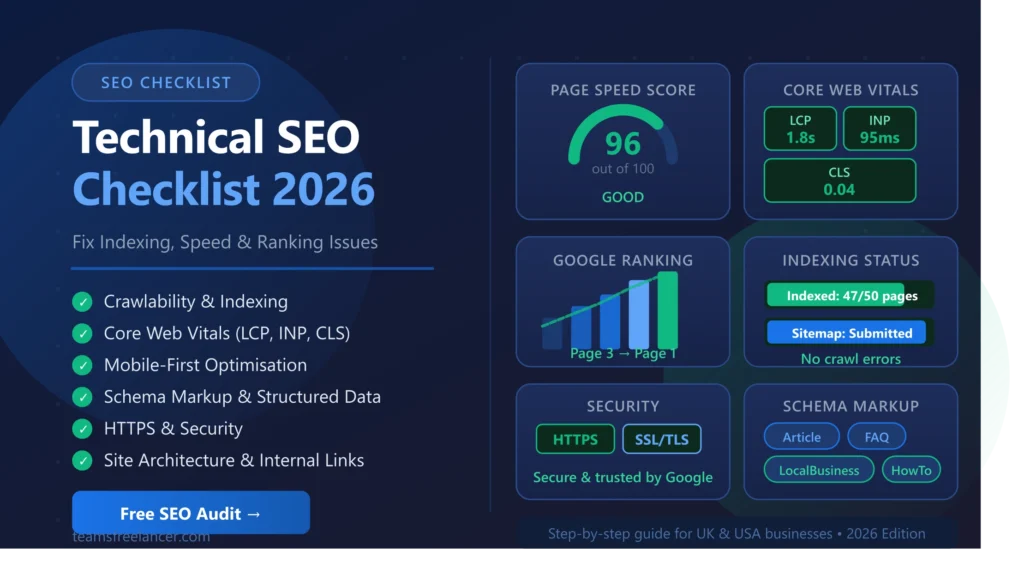
Technical SEO Checklist 2026:
Fix Indexing, Speed & Ranking Issues
Who this guide is for: Website owners, SEO professionals, and developers in the UK, USA, and worldwide who want to improve Google rankings by fixing technical issues. This checklist covers every major technical SEO factor Google evaluates in 2026 — with actionable steps for each.
- What is Technical SEO?
- Why Technical SEO Matters in 2026
- Crawlability — Make Your Site Accessible
- Indexing — Control What Google Sees
- Website Speed & Core Web Vitals
- Mobile-First Optimisation
- URL Structure Best Practices
- Fix Broken Links & Redirects
- HTTPS & Website Security
- Site Architecture & Internal Linking
- Structured Data & Schema Markup
- Image Optimisation
- International SEO
- Ongoing SEO Audits
- Best Technical SEO Tools 2026
- Common Technical SEO Mistakes
- Quick Summary Checklist
- Frequently Asked Questions
What is Technical SEO?
Technical SEO is the process of optimising the backend infrastructure of your website so that search engines like Google can efficiently crawl, index, and render your content. Unlike on-page SEO (which focuses on content and keywords) or off-page SEO (which focuses on backlinks and authority), technical SEO focuses on how your website is built and how it performs.
Think of it like the foundation of a house. No matter how beautiful the interior is, if the foundation is cracked, the whole structure is compromised. In the same way, brilliant content and thousands of backlinks will underperform if your website has crawl errors, slow load times, or indexing problems.
Technical SEO covers a wide range of factors including:
- Website speed and Core Web Vitals — how fast your pages load and respond
- Crawlability — whether search engine bots can access and navigate your site
- Indexability — which pages Google chooses to include in its index
- Mobile-first design — how your site performs on smartphones and tablets
- Site architecture — how pages are structured and linked together
- Security — whether your site uses HTTPS encryption
- Structured data — markup that helps Google understand your content
Key Insight: Google’s John Mueller has confirmed that technical SEO issues can prevent even the highest quality content from ranking. Fixing technical problems often produces faster ranking improvements than creating new content.
Why Technical SEO Matters More in 2026
Technical SEO has never been more important than it is in 2026. Three major shifts in how Google works have made the technical health of your website a critical ranking factor:
Google’s AI-Powered Search (SGE)
Google’s Search Generative Experience uses AI to answer queries directly in search results. For your website to be featured in AI-generated answers, Google must be able to fully understand and parse your content. This requires clean, well-structured HTML, proper schema markup, and fast page rendering — all technical SEO factors.
Core Web Vitals as a Ranking Signal
Since Google made Core Web Vitals an official ranking factor, page experience signals — including Largest Contentful Paint (LCP), Interaction to Next Paint (INP), and Cumulative Layout Shift (CLS) — directly affect your position in search results. Websites that fail these metrics lose rankings to faster competitors.
Mobile-First Indexing is Now Default
Google now uses your mobile website version as the primary basis for indexing and ranking — not your desktop version. If your mobile experience is poor, your entire site suffers in rankings regardless of how good your desktop version is. In the UK, over 62% of web searches happen on mobile devices.
Warning: Many UK and USA businesses invest heavily in content and backlinks while ignoring technical SEO. The result is a site that looks great but ranks poorly. Always fix technical issues first before investing in content creation.
Crawlability — Make Your Site Accessible to Google
Crawlability refers to how easily search engine bots (like Googlebot) can access and navigate the pages of your website. If Google cannot crawl your pages, it cannot index them — and if it cannot index them, they will never appear in search results no matter how good your content is.
Crawl issues are surprisingly common, even on well-maintained websites. A single misconfigured robots.txt file, for example, can accidentally block your entire website from being crawled — a mistake that has affected major websites in the past.
Robots.txt Configuration
Your robots.txt file tells search engine crawlers which pages they are allowed to access. It lives at yourdomain.com/robots.txt and should be checked regularly to ensure it is not accidentally blocking important pages or entire sections of your site.
XML Sitemap
An XML sitemap is a file that lists all the important pages on your website. Submitting it to Google Search Console tells Google exactly which pages exist and should be indexed. Every website should have an up-to-date sitemap submitted to Search Console.
- Check robots.txt — visit yourdomain.com/robots.txt and ensure no important pages are blocked
- Create & submit XML sitemap — generate at yourdomain.com/sitemap.xml and submit via Google Search Console
- Fix crawl errors — check Google Search Console › Coverage for 4xx and 5xx errors
- Avoid crawl traps — infinite pagination, session IDs in URLs, and faceted navigation can waste crawl budget
- Check crawl budget — for large sites (500+ pages), monitor how many pages Google crawls per day
- Use internal linking — link to important pages from other pages to help Googlebot discover them faster
Pro Tip: After making any major changes to your website (new pages, redesign, URL changes), always request a recrawl in Google Search Console using the URL Inspection tool. This speeds up the process of Google discovering and indexing your changes.
Indexing — Control What Google Includes in Search Results
Even if Google can crawl your website, that does not automatically mean all your pages will be indexed. Indexing is Google’s process of deciding whether a crawled page is valuable enough to include in its search index. There are several reasons why pages might be crawled but not indexed — and many of them are within your control.
Canonical Tags
Canonical tags (<link rel="canonical">) tell Google which version of a page is the “master” version when duplicate or near-duplicate content exists. Without proper canonical tags, Google may split your page’s ranking signals across multiple URLs — a common problem caused by URL parameters, session IDs, or HTTP/HTTPS variations.
Noindex Tags
A <meta name="robots" content="noindex"> tag tells Google not to include a page in its index. These are useful for low-value pages like thank-you pages, login pages, or admin panels. However, accidentally adding noindex to important pages is one of the most common — and damaging — technical SEO mistakes.
- Audit your noindex tags — ensure no important pages accidentally have noindex set
- Set canonical tags correctly — every page should either be canonical itself or point to the correct canonical version
- Fix duplicate content — use canonicals, 301 redirects, or noindex to resolve duplicate page issues
- Check coverage in GSC — use Google Search Console › Pages to see which pages are indexed and which are excluded
- Verify with site: search — search
site:yourdomain.comin Google to see which pages are indexed
Website Speed & Core Web Vitals
Website speed is one of the most powerful levers in technical SEO. Google has confirmed that page speed is a direct ranking factor for both desktop and mobile search. More importantly, slow websites lose visitors — research shows that a one-second delay in page load time can reduce conversions by 7% and increase bounce rate by 11%.
In 2026, Google measures speed through its Core Web Vitals metrics — three specific measurements that together paint a picture of how your page feels to use:
How to Improve Website Speed
- Compress and convert images to WebP format — images are typically the largest files on any page and switching to WebP can reduce file sizes by 25-34% compared to JPEG
- Minify CSS, JavaScript, and HTML — removing unnecessary whitespace, comments, and characters from code files reduces their size without changing functionality
- Use a Content Delivery Network (CDN) — CDNs like Cloudflare store copies of your website on servers worldwide, delivering content from the server closest to each visitor
- Enable browser caching — caching stores static files locally in a visitor’s browser so they do not need to be re-downloaded on repeat visits
- Lazy load images and videos — defer loading of images that are not visible in the initial viewport until the user scrolls to them
- Eliminate render-blocking resources — move CSS to the head and defer non-critical JavaScript to prevent it blocking page rendering
- Upgrade your hosting — shared hosting is often a bottleneck; consider VPS or managed WordPress hosting for better performance
Quick Win: Installing a caching plugin on WordPress (such as WP Rocket or W3 Total Cache) combined with Cloudflare’s free CDN can dramatically improve your Core Web Vitals scores with minimal technical knowledge required. Many UK small businesses see significant speed improvements within a few hours.
Use our free Website Speed Checker tool to test your current page speed and identify specific issues to fix.
Mobile-First Optimisation
Since 2023, Google has used mobile-first indexing for all websites. This means Google predominantly uses the mobile version of your website for indexing and ranking. If your mobile experience is poor — slow loading, difficult to navigate, or missing content — your entire site will suffer in rankings, even for desktop searches.
In the UK, mobile devices account for approximately 62% of all web traffic. In the USA, this figure is around 58%. A mobile-optimised website is no longer optional — it is essential for both rankings and user experience.
- Use a responsive design — your layout should adapt fluidly to all screen sizes from 320px to 1920px wide
- Test with Google’s Mobile-Friendly Test — visit search.google.com/test/mobile-friendly to check your pages
- Ensure font sizes are readable — body text should be at least 16px on mobile; avoid text smaller than 12px
- Make tap targets large enough — buttons and links should be at least 48×48 pixels to be easily tappable on small screens
- Avoid horizontal scrolling — content should never overflow outside the mobile viewport width
- Optimise images for mobile — serve appropriately sized images for mobile devices using srcset attributes
- Check content parity — ensure your mobile version contains all the same content as your desktop version
URL Structure Best Practices
Your URL structure affects both SEO and user experience. Clean, descriptive URLs help Google understand what a page is about before it even crawls the content. They also make it easier for users to understand where they are on your site and to share or remember URLs.
Good vs Bad URL Examples
- Use hyphens (-) not underscores (_) — Google treats hyphens as word separators; underscores are treated as connectors
- Keep URLs short and descriptive — aim for 3-5 words that accurately describe the page content
- Include your target keyword — place the primary keyword in the URL where it reads naturally
- Use lowercase letters only — uppercase letters can cause duplicate content issues on some servers
- Avoid dynamic parameters where possible — use URL rewriting to convert dynamic URLs to clean static-looking ones
- Keep a flat URL structure — avoid deeply nested URLs like /category/subcategory/sub-subcategory/page-name
Fix Broken Links & Redirect Chains
Broken links (pages returning 404 errors) harm both your SEO and user experience. When Google encounters a broken link during crawling, it wastes crawl budget on pages that no longer exist. When users click a broken link, they leave your site frustrated. Both outcomes are bad for your rankings and reputation.
Redirect chains occur when a URL redirects to another URL that then redirects again — sometimes creating chains of 3, 4, or more redirects. Each redirect adds latency and dilutes link equity, harming both speed and SEO.
- Audit broken links monthly — use Screaming Frog or Google Search Console to find 404 errors
- Fix or redirect all 404 pages — either restore the content or implement a 301 redirect to the most relevant alternative page
- Use 301 redirects for permanent moves — 301 redirects pass approximately 90-99% of link equity to the destination page
- Avoid redirect chains — every redirect should go directly to the final destination; aim for zero chains
- Update internal links — whenever you change a URL, update all internal links pointing to it rather than relying on redirects
- Fix broken external links — update or remove outbound links that point to pages that no longer exist
HTTPS & Website Security
HTTPS (HyperText Transfer Protocol Secure) is a confirmed Google ranking signal. Google has used HTTPS as a ranking factor since 2014, and in 2026 it is essentially the baseline expectation for all websites. Visitors also trust HTTPS sites more — modern browsers display prominent “Not Secure” warnings on HTTP sites, which increases bounce rate significantly.
Beyond basic HTTPS, website security encompasses protection against malware, spam injections, and other threats that can result in Google penalising or de-indexing your site entirely.
- Install a valid SSL certificate — free SSL certificates are available through Let’s Encrypt or included with most hosting plans
- Force HTTPS across your entire site — all HTTP requests should be permanently redirected to HTTPS via 301 redirects
- Fix mixed content warnings — all resources (images, scripts, stylesheets) must be loaded over HTTPS, not HTTP
- Keep your CMS and plugins updated — outdated WordPress themes and plugins are the most common entry point for malware
- Monitor for malware — use Google Search Console Security Issues reports and security scanning tools
- Add security headers — implement Content Security Policy (CSP) and X-Frame-Options headers
Site Architecture & Internal Linking
Site architecture refers to how the pages of your website are organised and connected to each other. Good architecture makes it easy for both search engines and users to navigate your site efficiently. Poor architecture can result in important pages being buried too deep, orphaned pages that receive no link equity, and confused crawl paths that waste Googlebot’s time.
The golden rule for site architecture is: every important page should be reachable within 3 clicks from the homepage. Pages that require more than 3 clicks are often crawled less frequently and receive less link equity, which weakens their ranking potential.
- Ensure important pages are within 3 clicks of homepage — use Google Search Console and Screaming Frog to audit click depth
- Eliminate orphan pages — every page should receive at least one internal link from another page on the site
- Use descriptive anchor text — internal links should use keyword-rich anchor text that describes the destination page
- Create topic clusters — group related content together with a pillar page linking to supporting pages and vice versa
- Include breadcrumb navigation — breadcrumbs improve user experience and help Google understand your site hierarchy
- Add contextual internal links within content — link naturally from within article and page content to related pages on your site
Structured Data & Schema Markup
Schema markup is code you add to your website’s HTML that helps search engines understand the context of your content. It uses a standardised vocabulary (from Schema.org) to describe what your content is about — whether it is an article, a product, a business, a recipe, or an FAQ.
Implementing schema markup can result in rich snippets in Google’s search results — enhanced listings that show star ratings, FAQ dropdowns, event dates, or product prices directly in the search results. Rich snippets significantly increase click-through rate, with studies showing improvements of 20-30% in CTR.
| Schema Type | Best For | Rich Snippet Benefit |
|---|---|---|
| Article / BlogPosting | Blog posts, news articles, guides | Date, author, thumbnail in results |
| FAQPage | Pages with FAQ sections | FAQ dropdowns directly in search results |
| LocalBusiness | Local businesses (e.g. Swindon agencies) | Business info, hours, phone in Knowledge Panel |
| Service | Service pages (web dev, SEO, etc.) | Service descriptions in search results |
| BreadcrumbList | All pages with breadcrumb navigation | Breadcrumb path shown under title in results |
| Review / AggregateRating | Services, products with reviews | Star ratings shown in search results |
| HowTo | Step-by-step guides and tutorials | Numbered steps displayed in search results |
- Add Article schema to all blog posts — include author, datePublished, dateModified, and image properties
- Add FAQPage schema to FAQ sections — this can earn you significant additional real estate in search results
- Add LocalBusiness schema — especially important for Swindon and UK-based businesses targeting local search
- Validate all schema with Google’s Rich Results Test — visit search.google.com/test/rich-results to verify your markup
- Monitor rich snippet performance in GSC — Google Search Console shows which rich snippets are being displayed
Image Optimisation
Images are typically the largest files on any webpage and therefore the biggest contributor to slow load times. Poorly optimised images are one of the most common causes of failing Core Web Vitals scores. Beyond performance, proper image optimisation also helps your images appear in Google Image Search, providing an additional source of organic traffic.
- Convert images to WebP format — WebP files are 25-34% smaller than JPEG and 26% smaller than PNG with comparable quality
- Resize images to their display dimensions — never upload a 4000px image when it will be displayed at 800px wide
- Add descriptive alt text to every image — alt text helps Google understand image content and is essential for accessibility
- Use descriptive file names — name images descriptively (e.g. swindon-web-development-agency.webp, not IMG_1234.jpg)
- Implement lazy loading — add loading=”lazy” to image tags so off-screen images load only when needed
- Specify width and height attributes — this prevents Cumulative Layout Shift (CLS) by reserving space for images before they load
International SEO (For UK & USA Targeting)
If your website targets multiple countries — for example, both the UK and the USA as TeamsFreelancer does — international SEO becomes an important technical consideration. Without proper configuration, Google may serve the wrong version of your content to users in different countries, or may see certain pages as duplicate content.
- Use hreflang tags for language/country targeting — this tells Google which version of a page to show to users in different countries
- Mention target countries naturally in content — reference the UK, USA, Swindon, and other target locations in your page content
- Use UK spelling for UK-targeted content — “optimise” not “optimize”, “colour” not “color” for UK audiences
- Set geographic targeting in GSC — if you have a single domain, use Google Search Console’s International Targeting settings
Ongoing Technical SEO Audits
Technical SEO is not a one-time task. Websites change constantly — new pages are added, plugins are updated, content is modified, and external links break. Without regular audits, technical issues accumulate silently and gradually erode your rankings without any obvious single cause.
We recommend the following audit frequency for most UK and USA business websites:
| Audit Task | Frequency | Tool to Use |
|---|---|---|
| Check Google Search Console for errors | Weekly | Google Search Console |
| Monitor Core Web Vitals scores | Weekly | GSC / PageSpeed Insights |
| Crawl site for broken links & errors | Monthly | Screaming Frog |
| Check for new indexing issues | Monthly | Google Search Console |
| Full technical SEO audit | Quarterly | Ahrefs / SEMrush / Screaming Frog |
| After major website changes | As needed | All tools + manual review |
Best Technical SEO Tools in 2026
The right tools make technical SEO audits faster, more thorough, and more actionable. Here are the tools we use and recommend for UK and USA businesses of all sizes:
Common Technical SEO Mistakes to Avoid
These are the most frequently seen technical SEO errors on UK and USA business websites. Each can significantly harm your Google rankings and are often preventable with basic awareness:
Accidentally blocking Google in robots.txt — The line “Disallow: /” in robots.txt blocks your entire website from being crawled. This mistake is surprisingly common after website migrations or when developers test in a staging environment and accidentally push settings to production.
Noindex on important pages — Important service pages, blog posts, or category pages accidentally tagged with noindex will not appear in Google search results. Always audit noindex tags after website updates or theme changes.
Not fixing Core Web Vitals failures — Google’s Page Experience update means failing Core Web Vitals directly impacts your rankings. Many UK websites fail on LCP due to unoptimised hero images or slow server response times.
Duplicate content without canonical tags — When multiple URLs serve similar or identical content (common with WordPress category pages, tags, and pagination), Google may split ranking signals or devalue all versions.
Missing XML sitemap or outdated sitemap — A sitemap that contains 404 error pages, redirects, or pages marked noindex sends confusing signals to Google and wastes crawl budget on pages that should not be indexed.
Quick Summary Checklist
Use this quick-reference summary to check the most critical technical SEO elements on your website:
Need Help Fixing Your Technical SEO?
TeamsFreelancer provides professional SEO audit and optimisation services for businesses across the UK, Swindon, and the USA. We’ll identify every technical issue holding your rankings back and fix it.
Get Your Free SEO Audit Today